


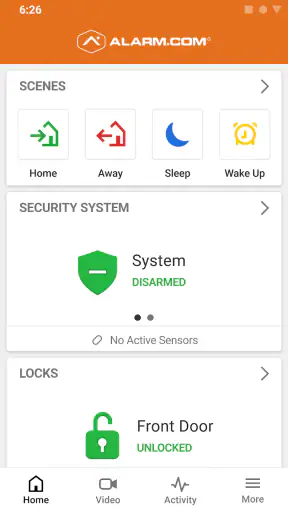
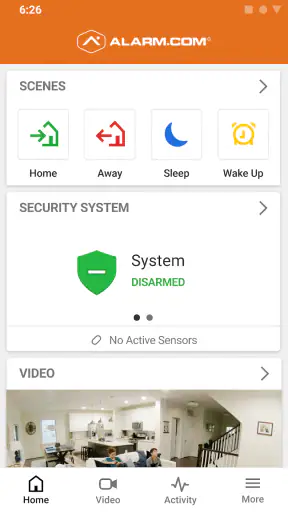
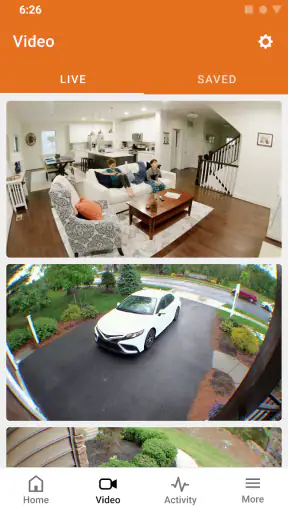
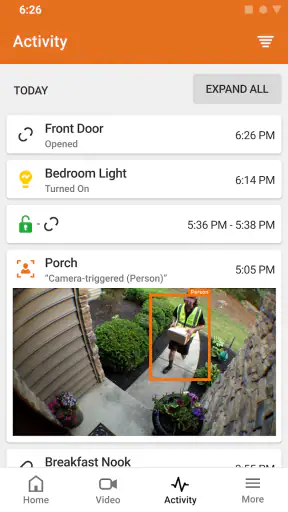
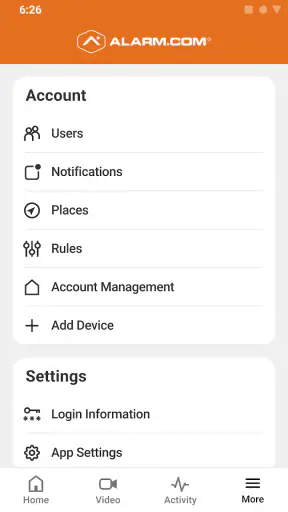
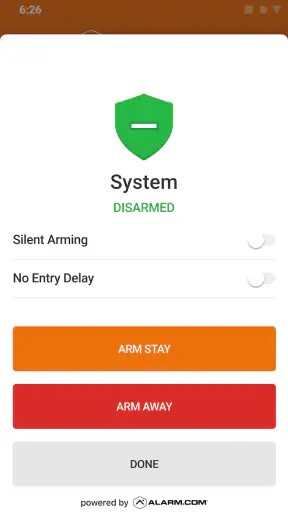
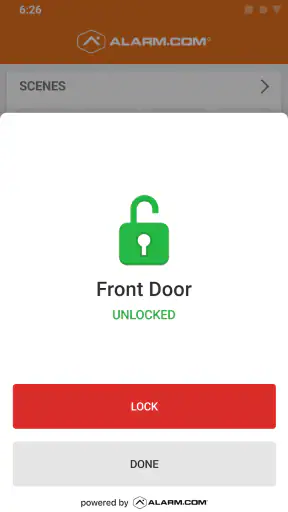
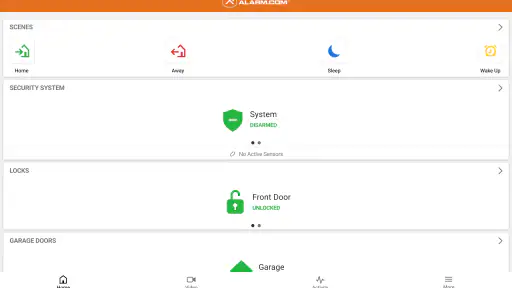
Managing a home security system from a phone sounds simple, but the quality of that experience depends on what happens between the tap and the system response. I spent time looking at Alarm.com as a mobile companion for people who already use an Alarm.com security setup, and my main takeaway is straightforward: it is most useful when you treat it as a connected control panel rather than a general-purpose security app. The value comes from being able to check in while away, review the current state, and interact with the system without standing in front of the wall keypad.
That distinction matters. Alarm.com is a free lifestyle app from Alarm.com Mobile, not a replacement for a complete security service or hardware installation. If your home does not use an Alarm.com system, there is little reason to install it. For the right household, though, the app can turn routine security checks into quick phone actions, especially during busy mornings, commutes, errands, and trips.
How the connected experience feels in everyday use
Useful when the system is out of sight
The most convincing reason to use this app is convenience. A physical keypad is useful when you are entering or leaving, but it is not much help when you are already at work wondering whether the house is secured. A phone-based companion changes that situation. You can open the app and check the system instead of relying on memory or calling someone at home.
I find this especially helpful after a rushed departure. Imagine leaving with a bag in one hand, a child asking a question, and the front door closing behind you. The uncertainty may not appear until you are several streets away. In that moment, a remote check is more practical than turning around. The app is not doing anything magical; it is reducing a small but persistent source of stress by putting the system status in a familiar place.
Connectivity shapes this experience from the beginning. The phone has to reach the service, and the service has to communicate with the security setup. When that chain works, the app feels immediate enough for ordinary checks. When it does not, the experience becomes less certain, and that is where users need to be careful. A screen that has not refreshed should not be treated as proof that the home is in a particular state.
Remote actions need a deliberate habit
Remote control is most useful when it supports a clear routine rather than encouraging random tapping. Before using a security command from outside the home, I would first confirm what the app is showing and make sure the action matches the situation. A command made from a moving car, for example, deserves more attention than one made while sitting at a desk.
My practical advice is to use the app in two stages: check first, act second. That small habit helps prevent the common mistake of assuming that the last screen you saw is still current. It also makes the app easier to trust because you are treating the phone as a connected interface, not as an independent source of truth.
The app’s average rating is 4.1 from roughly 38 thousand ratings, which suggests a generally positive reception with some room for frustration. That feels believable for this type of product. A security companion can be extremely convenient when it reflects the system correctly, but even minor delays or unclear status changes matter more here than they would in a casual lifestyle app.
Why mobile access is more than a smaller keypad
The phone format gives Alarm.com a different role from the keypad installed at home. The keypad is tied to a location; the app travels with you. That makes it useful for people who regularly move between home, work, school, and travel, because the question “What is happening at home?” can be answered without being physically present.
There is also a social benefit. If another household member needs help checking the system, the phone interface may be easier than explaining a sequence of keypad steps over a call. The same applies when someone is temporarily responsible for the property. I would still be selective about who receives access, but the mobile format is naturally better suited to shared household routines than a single device mounted near the entrance.
At the same time, the app is not automatically the best choice for every user. Someone who rarely leaves home, dislikes managing phone accounts, or prefers a local control panel may gain little from adding another digital layer. The app makes remote access possible, but it also makes the security experience more dependent on the phone, the network, and the user’s comfort with mobile controls.
What happens when connectivity is imperfect
The most important limitation is also the least glamorous: a connected security app can only be as dependable as the communication path behind it. If the phone has weak connectivity, if the service is slow, or if the home system is not communicating normally, the app may not give you the smooth confirmation you expect. I would never interpret a loading screen, stale status, or failed action as a successful security change.
This is not a reason to reject the app. It is a reason to build a recovery habit. If a command does not appear to complete, pause instead of repeating it rapidly. Check whether the app has updated, try again when the phone connection is stable, and use the physical system interface when you are at home. If the problem continues, the sensible next step is to contact the security provider connected to your setup rather than assuming the phone itself is the only issue.
That recovery approach is more important with security software than with an ordinary smart-home controller. Repeatedly sending commands because the first result is unclear can create confusion about the actual state. I prefer one careful attempt followed by verification. The app is strongest when it helps you confirm a known situation, not when it becomes the only thing you trust during an uncertain one.
Planning around travel and busy days
Alarm.com becomes more valuable when the household has predictable moments of uncertainty. Before leaving for a weekend away, I would use the app as part of a departure checklist rather than as a last-second substitute for checking doors and windows. The phone can help confirm the system after the physical inspection, while the inspection itself still handles things a remote screen cannot.
For a family, the useful scenario is often less dramatic. One person leaves early, another leaves later, and nobody remembers who handled the security routine. A quick check from work can settle the question. During a school pickup or a long commute, that convenience can prevent unnecessary backtracking. These small uses are where a connected security app earns its place.
For frequent travelers, the benefit is clearer, but expectations should remain realistic. The app can help you stay aware of the connected system while you are away, yet it does not remove the need for a backup plan. A trusted person may still need to respond to a real issue, and the app should not be treated as a substitute for local support or emergency services. Its role is communication and control, not physical intervention.
Using the app without wasting attention or data
Security apps encourage checking, and checking can become a habit. I would avoid opening Alarm.com repeatedly just for reassurance, particularly when there is no new reason to look. A better approach is to check at meaningful points: after leaving, before settling in for the night, or when another household member asks about the system.
This is also a sensible way to be data-conscious. Every connected app uses some combination of network communication and phone resources, even when the individual interaction feels small. I would use a stable connection when available, keep the app closed when I am not actively checking the system, and avoid refreshing over and over when a response is delayed. Those habits reduce unnecessary traffic and, more importantly, reduce the chance of confusing an old screen with a current status.
People who are cautious about mobile privacy should also think about the phone itself. A security app belongs on a device protected with a strong screen lock, and I would avoid leaving the account open on a shared phone. The app’s usefulness comes from access, so access should be treated as sensitive. This is a practical consideration that is easy to overlook when the interface feels as ordinary as any other phone app.
Battery awareness matters too, especially during travel. I would not rely on a nearly empty phone as my only way to check the home system. Charging before a trip and keeping another sensible contact method available is basic preparation, but it fits the connected nature of the product. The app can extend your reach; it cannot make a powerless phone available.
Who will appreciate it most
The best audience is someone who already has an Alarm.com security system and wants a convenient mobile window into it. It suits people who commute, travel, share responsibility for a home, or simply want to confirm the system without walking to the keypad. The free price makes trying it less of a financial decision, although the practical value still depends on having the compatible security arrangement behind it.
It is also a good fit for users who prefer clear routines. If you like checking the system when leaving, confirming it after arriving at work, and verifying it before bed, the app can become a useful part of that rhythm. The roughly one million-plus installs show that this is not an obscure experiment, and its Everyone content rating makes it approachable for a broad household audience.
I would be more cautious recommending it to someone shopping for a completely independent security solution. Installing the app alone does not create protection around a property. It is a companion to an Alarm.com setup, so a person without that ecosystem should compare complete security options instead of judging this app as though it were a standalone alarm service.
How it compares with ordinary alternatives
The obvious alternative is the physical keypad. That remains better when you are standing at home, because it is always in the same place and does not depend on finding your phone. For local entry and exit routines, the keypad may feel faster and more natural. Alarm.com’s advantage begins once you are away from the property and need visibility from a distance.
Another alternative is doing nothing and trusting memory. That costs nothing, but it offers no way to resolve uncertainty after leaving. The app is clearly better for that narrow problem. A general smart-home app may also look attractive, but it can be less relevant if the main task is interacting with an Alarm.com security system rather than combining unrelated devices.
The trade-off is concentration. A dedicated companion can be easier to understand than a broad home-control dashboard, but it may not replace every tool a household uses. I would choose Alarm.com for system-specific access and keep other apps for unrelated home tasks. Trying to force one app to manage every part of a connected home can make the experience less clear, not more.
Small habits that make the experience safer
- Check the displayed status before sending a command, especially when you are away from home.
- After a delayed or failed response, verify the result instead of sending repeated commands immediately.
- Use the app as part of a departure routine, not as a replacement for checking obvious physical issues at the property.
- Protect the phone and account as carefully as the security hardware, particularly on shared or borrowed devices.
- Keep a practical backup plan for travel, including a trusted person who can respond locally if needed.
These habits do not add flashy features, but they address the real friction of connected security: uncertainty. The app is most helpful when it gives you a reliable way to check and then make a considered decision. It is less helpful when it encourages hurried commands or constant refreshing.
Long-term value and everyday friction
After the novelty wears off, the question is whether the app remains useful on ordinary days. In my view, it does when remote checking solves a recurring problem. A person who often wonders whether the system was handled correctly will probably appreciate it. Someone who only wants a keypad at the door may find the phone layer unnecessary.
The main friction is not the idea of the app; it is the dependency chain. You need the relevant security setup, a working phone, a usable connection, and enough confidence to interpret the result correctly. That is a lot of context for a simple check. Still, those requirements are inherent to remote access, and the convenience can outweigh them for households that spend significant time away from home.
The app has been available since April 19, 2010, giving it a long presence in the mobile security space. Its free availability and broad adoption make it easy to consider, but longevity alone should not replace practical testing. I would install it, sign in through the appropriate security arrangement, and try the everyday actions that matter to me before depending on it during travel or an important absence.
My connectivity verdict
Alarm.com is a sensible mobile companion for an existing Alarm.com security system, particularly if you need to check in while away. Its strongest quality is not entertainment or visual polish; it is the way a connected phone can remove doubt from routine moments. Leaving for work, coordinating with family, or preparing for a trip all become easier when the system is available from a device you already carry.
My recommendation comes with one firm condition: use it with connected-system awareness. Treat delayed information cautiously, verify important actions, and keep local and human backup options in mind. People seeking a standalone security solution should look elsewhere, while current Alarm.com users who want remote visibility have a practical reason to try it.
With more than one million installs and a free entry point, it is easy to see why the app has a wide audience. For me, the deciding factor is whether remote access would genuinely fit your routine. If it would, Alarm.com can be a useful extension of the security system already protecting your home. If you rarely need to check from outside and prefer local controls, the extra connectivity may feel like more responsibility than convenience.


